
Python vs. Excel for Finance: I Use Both Daily — Here’s When Each Wins
The answer isn’t “replace Excel.” It’s knowing which tool fits which job.

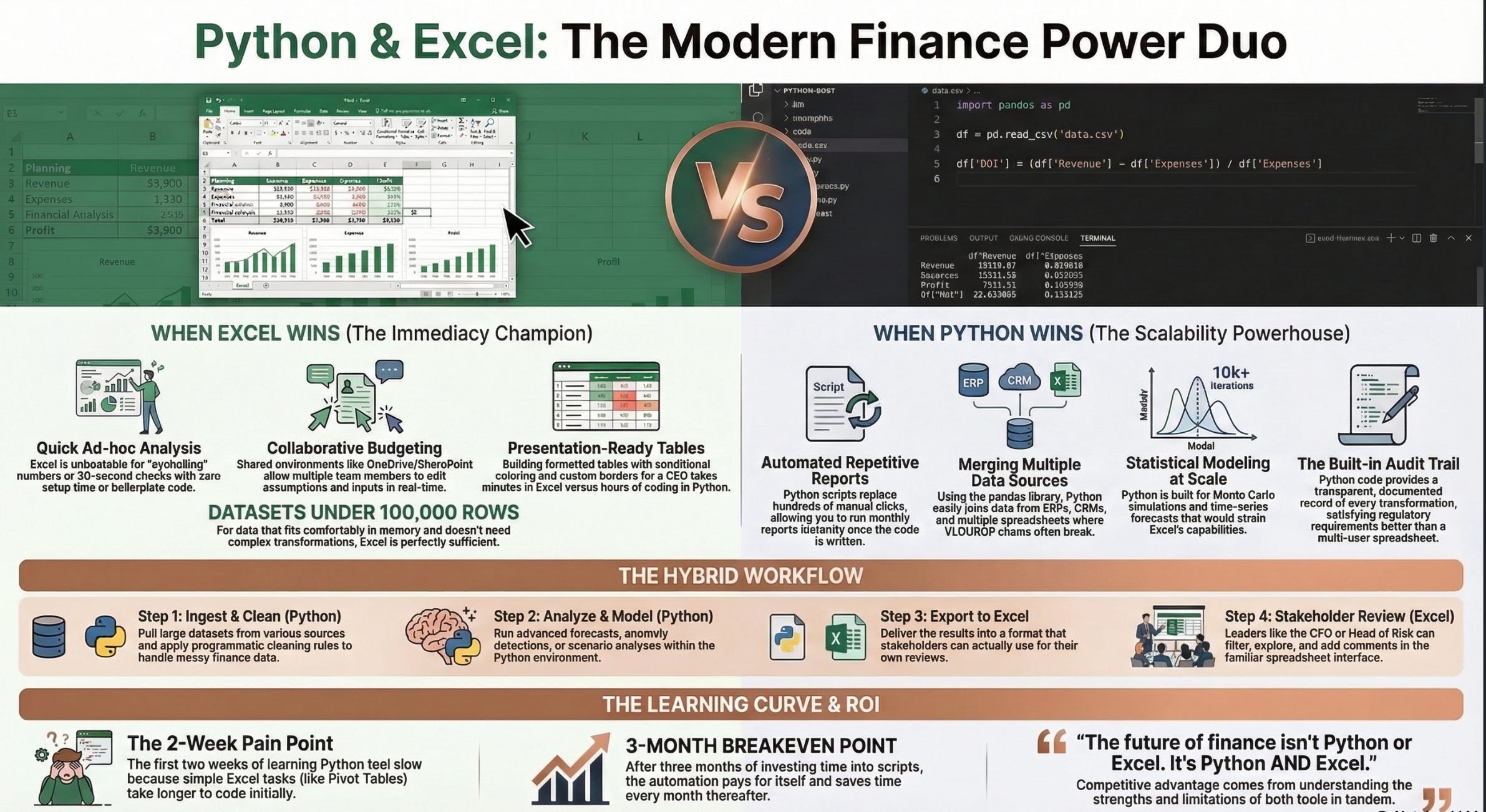
I’m going to say something that might upset both camps: Python will not replace Excel, and Excel is not “good enough” for everything.
But let me tell you this. Every single day, I use both. And after years of working with finance professionals across Europe, I’ve noticed a pattern: the people who get the most done aren’t the Python purists or the Excel diehards. They’re the pragmatists who use the right tool for the right job.
So let me break down exactly when each tool wins, based on real finance work — not theoretical benchmarks.
Where Excel Still Wins
Quick ad-hoc analysis. Someone walks up to your desk and says, “Hey, can you check if these numbers make sense?” You’re not going to fire up a Jupyter notebook. You’re going to open Excel, paste the data, and eyeball it. Excel’s immediacy is unbeatable for this kind of work. There’s zero setup time, zero boilerplate, and you can have an answer in one minute.
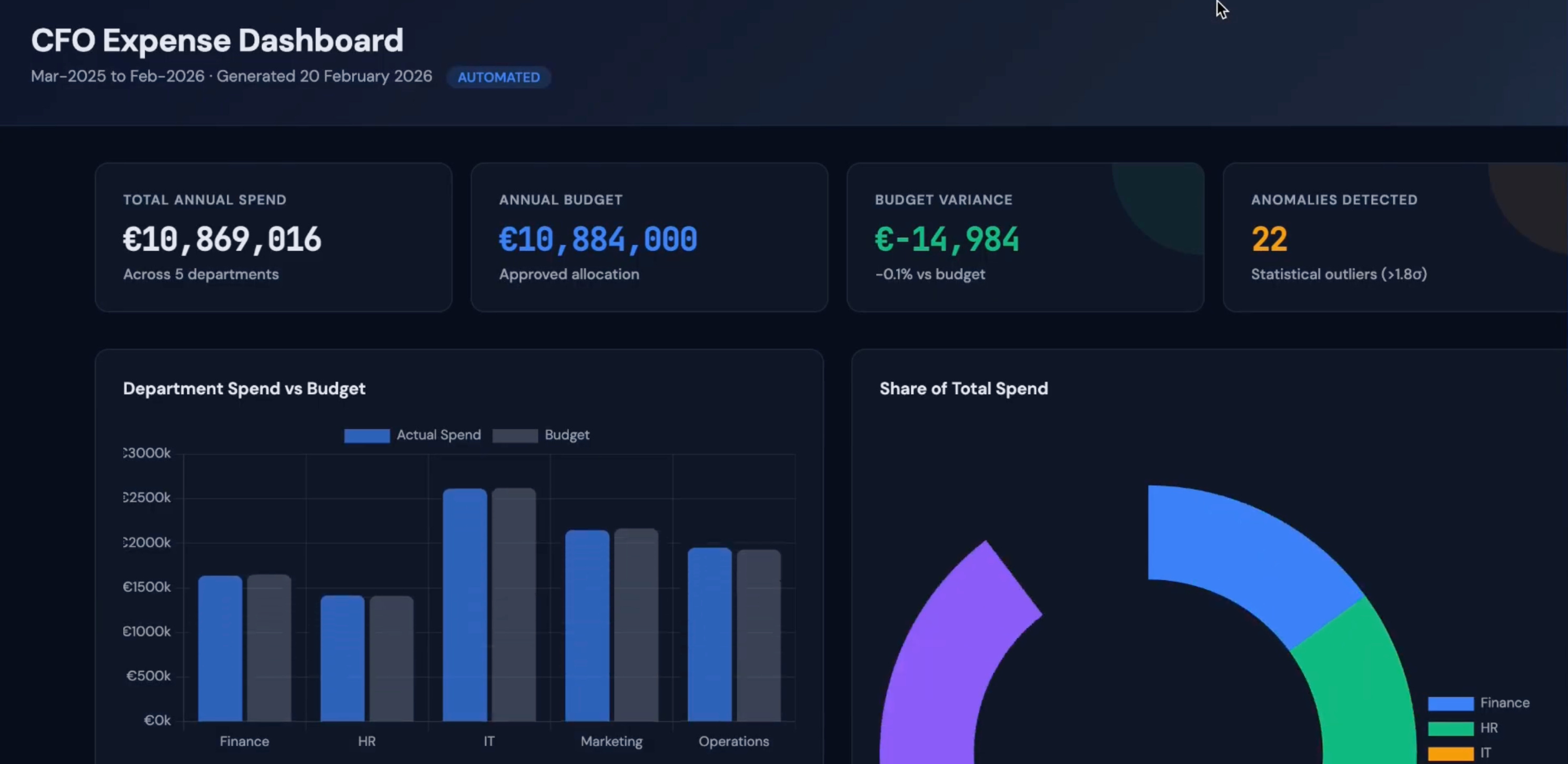
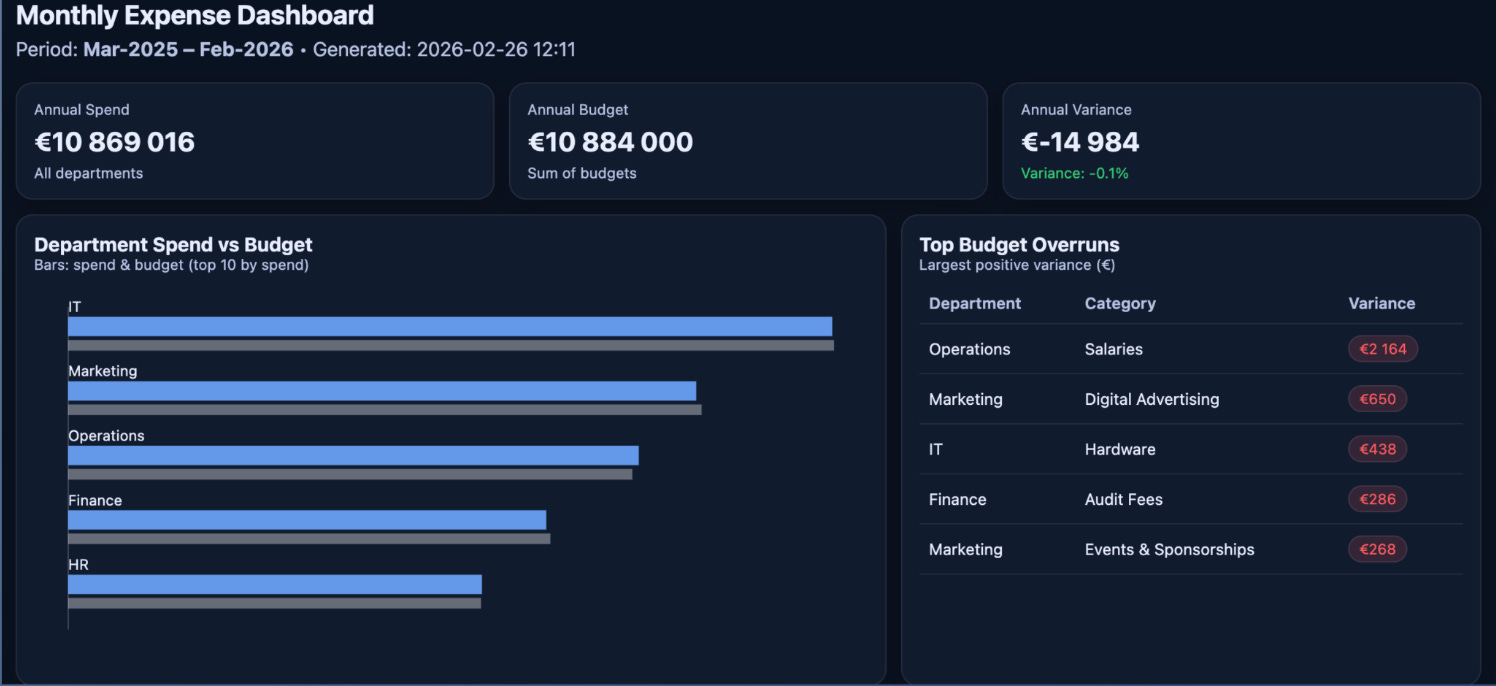
Presentation-ready tables. When your CEO wants a formatted table with conditional coloring, custom borders, and specific number formatting — and they want it in five minutes — Excel is your tool, right? You can build beautiful financial tables in Python with libraries like openpyxl or xlsxwriter, but it takes ten times longer. Wrong!! Not anymore- with ChatGPT, Claude or Gemini you get Complete Dashboard in under 5 minutes- Check this out:
Anything under 100,000 rows. For datasets that fit comfortably in memory and don’t require complex transformations, Excel handles things perfectly well. Not every finance task needs a programming language.
Want to go further with AI in finance? I'm part of the AI Finance Club — a community of 10,000+ finance professionals sharing tools, prompts, and real use cases every week. Join the club here
Where Python Pulls Ahead
Repetitive reports. If you’re building the same report every month — pulling data, applying transformations, formatting output — Python saves you from doing the same clicks hundreds of times. Write the script once, run it monthly, and spend your time on analysis instead of assembly.
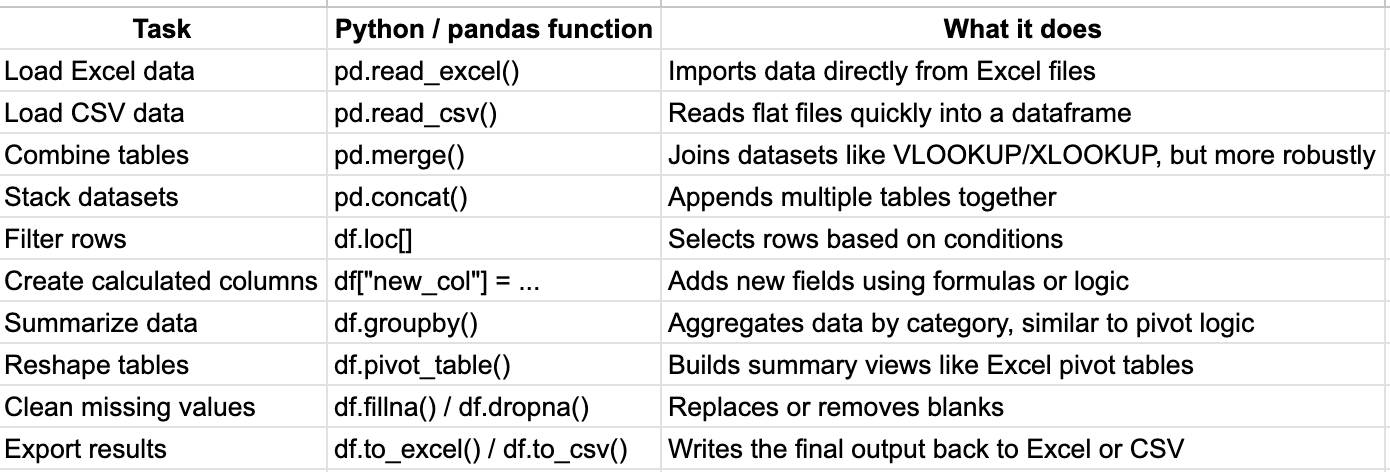
Anything involving more than one data source. The moment you need to combine data from your ERP, your CRM, and a couple of spreadsheets, Excel starts to struggle. VLOOKUP chains become brittle. Power Query helps but has limits. Python’s pandas library was literally built for this: merging, joining, and reshaping data from multiple sources into something usable.
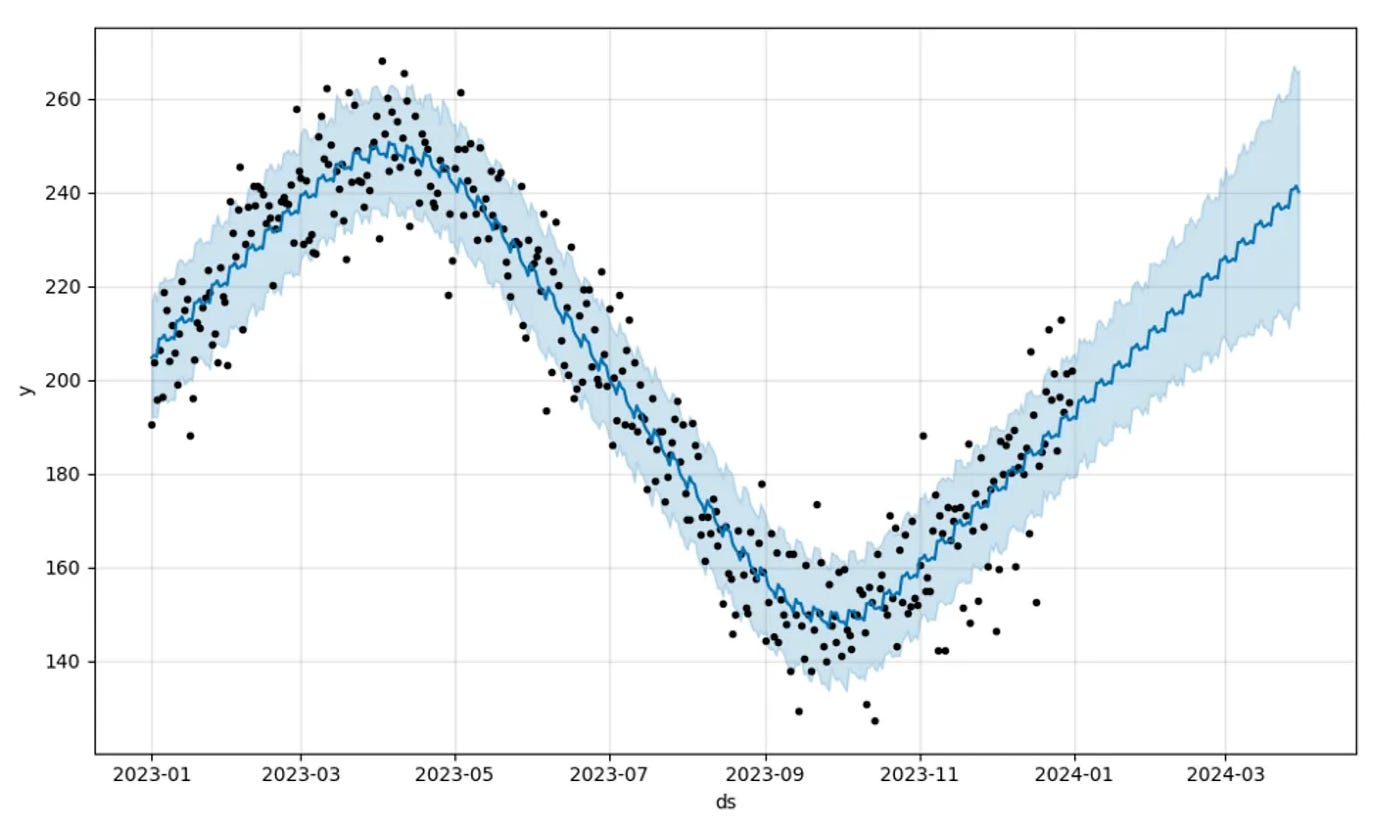
Statistical analysis and forecasting. Excel has basic statistical functions, but try running a Monte Carlo simulation with 10,000 iterations, or building a time-series forecast with seasonal adjustments. Excel can do it, technically, but it’s like driving a nail with a wrench. Python’s ecosystem — scikit-learn, statsmodels, Facebook Prophet — makes these tasks straightforward.
Data cleaning at scale. Finance data is messy. Inconsistent date formats, duplicate entries, missing values, text where numbers should be. Cleaning a 50-row dataset in Excel is fine. Cleaning a 500,000-row dataset? Python handles it in seconds. Excel might not even open the file.
Audit trails. This one surprises people. A Python script is inherently auditable. Every step is documented in code. If a regulator asks, “How did you calculate this number?” you can show them exactly which data went in, what transformations were applied, and what came out. Try doing that with a spreadsheet that’s been edited by six people over three months.
The Real-World Hybrid Approach
Here’s what my typical workflow actually looks like.
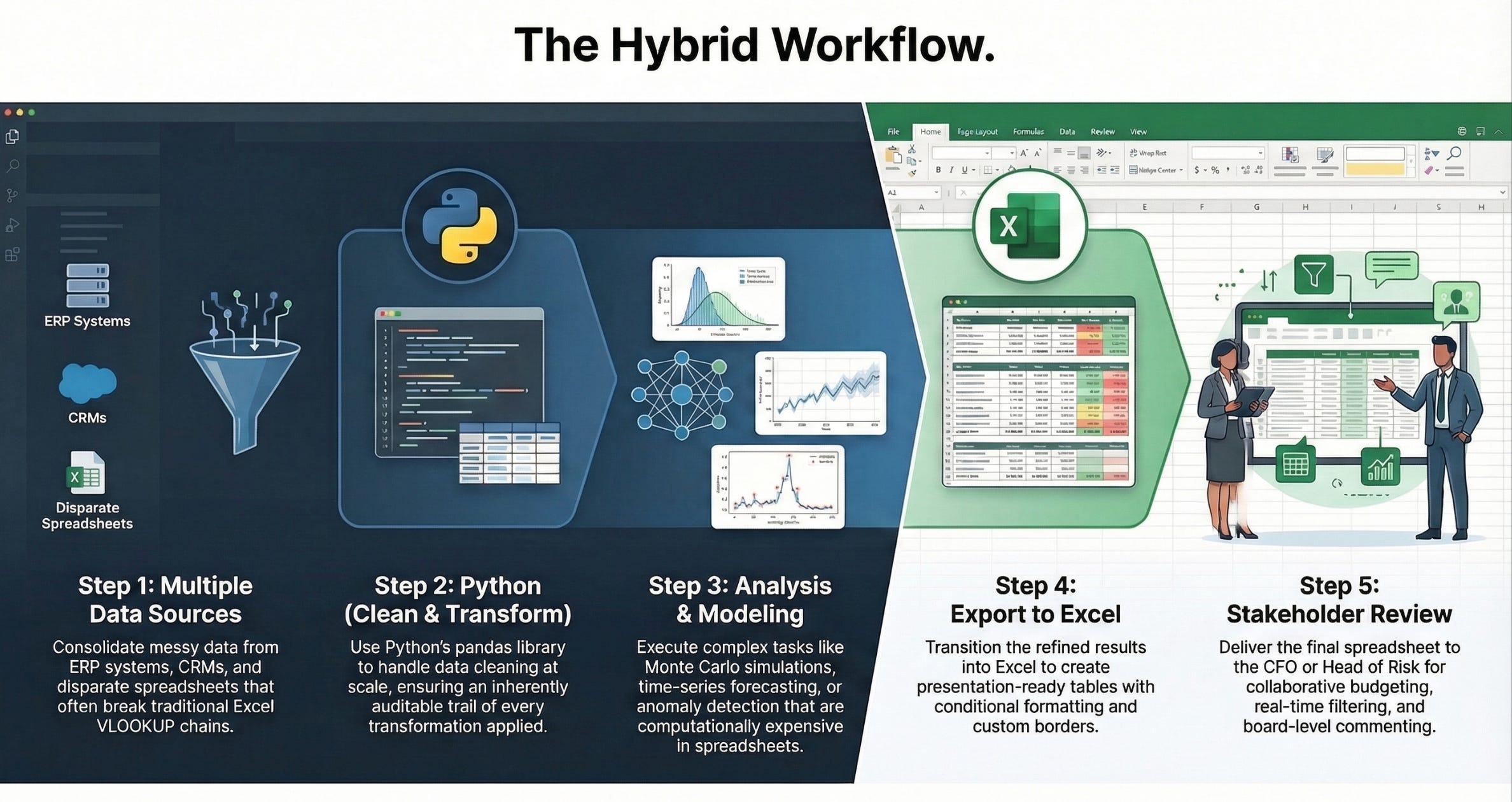
I pull data from multiple sources using Python. I clean it and transform it programmatically because the datasets are large and the cleaning rules are complex. I run whatever analysis or model is needed — forecast, anomaly detection, scenario analysis — in Python.
Then I export the results to Excel.
Because that’s where my stakeholders live. The head of risk doesn’t want a Jupyter notebook. She wants an Excel file she can open, filter, and explore. The CFO doesn’t want a Python dashboard. He wants a spreadsheet he can forward to the board with his comments added.
This hybrid approach gives you the power of Python where it matters (data processing, automation, modeling) and the familiarity of Excel where it matters (communication, collaboration, presentation).
The Uncomfortable Truth About Learning Python
I teach Python to finance professionals regularly, and I’m going to be honest: the first two weeks are painful. Not because Python is hard, but because it feels slow compared to what you already know. You can build a pivot table in Excel in 60 seconds. Learning to do the same thing in pandas takes a bit of time.
But here’s the thing nobody mentions: that pivot table you build in Excel, you’ll build again next month. And the month after. And the month after that. The Python script? You let it write once! ChatGPT or Claude are writing the code for you. You are the architect and they are the Builders.
The breakeven point, in my experience, is about three weeks. Three weeks of investing extra time to build scripts, and then they start paying for themselves. After six weeks, most finance professionals I work with can’t imagine going back to doing certain tasks manually.
So Which Should You Learn?
If you’re a finance professional and you’re already proficient in Excel, don’t abandon it. Excel proficiency is genuinely valuable and will remain so for the foreseeable future.
But learn Python alongside it. Not to replace Excel, but to handle the things Excel handles poorly: automation, large datasets, complex analysis, and reproducible workflows.
The future of finance isn’t Python or Excel. It’s Python and Excel, used by people who understand the strengths and limitations of both. That’s the competitive advantage nobody’s talking about.
If you want daily AI + finance insights from a community of practitioners, join me in the AI Finance Club
If you’re ready to build real AI skills with live coaching and hands-on exercises, check out the next cohort of the AI Finance Accelerator
Great insight and thanks Christophe for sharing